Knowledge base · Network adjustment
Run a network adjustment
Create the project, set the control, check the data, solve, and read the ellipses.
Network Adjustment solves one figure: the coordinates of the unknown points, with standard deviations, residuals and error ellipses. Internally, distances are metres and angles are gon. The units on screen (metres or feet, gon or DMS) are set on the Settings tab.
The project is an .adjproj file, the same kind Station Adjustment uses. The file opens exclusively. Close it in one module before you open it in the other, or you get a "file is open" error.
The usual order
- Open Calculations > Network Adjustments, then File > New Project.
- On Settings, set the units, the adjustment type and the instrument standard errors. If the work is on a grid, enable Scale / Projection and pick the coordinate system. Click Apply Settings.
- Bring the data in. Import > STAR\*NET (.dat)…, Import > ASCII Project (.iqnet)…, Import > Excel Workbook (.xlsx)… or Import > Netsist (.ndb, .xlsx)…. Or add stations and observations by hand. Set which points are fixed.
- If an unknown has no coordinates yet, use Stations > Calc Initial Coords.
- Solve > Check Data…, then Solve > Solve.
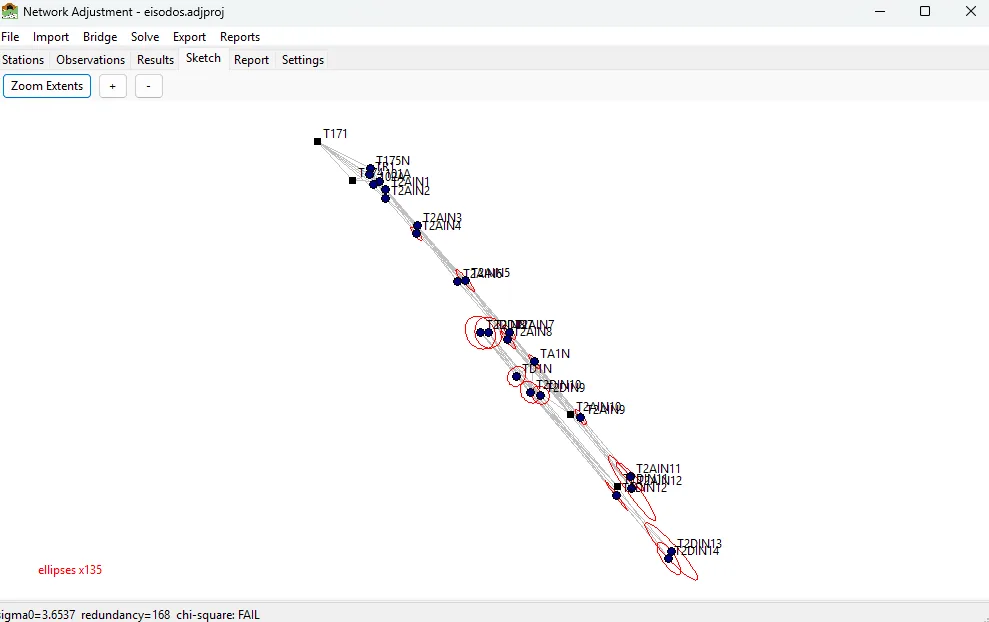
- Read Results, Report and Sketch. If σ₀ is large or one residual stands out, run Solve > Solve (Robust), correct or deactivate that observation, and solve again.
- Export > Coordinate List (CSV)… or Reports > Export PDF…. Reports > Company Info… sets the firm, the surveyor, the logo and the accent colour on the PDF.
Bridge > Pull Adjusted Stations copies adjusted setups from Station Adjustment into the network.
STAR\*NET is a trademark of MicroSurvey Software Inc. SurveyTools reads and writes a subset of that file for interchange. It is not affiliated with MicroSurvey.