Knowledge base · Station adjustment
Import a Leica GSI file into Station Adjustment
Open a new project, bring in a GSI8 or GSI16 file, and solve the station.
Station Adjustment stores every setup of a campaign in one .adjproj file. Angles are in gon. Angle residuals are in centesimal seconds (1 gon = 10 000 cc). Distance residuals are in millimetres.
Open a project
- In the sidebar, open Calculations > Station Adjustments. The module opens in its own window, empty.
- Choose File > New Project and save an
.adjprojfile. Confirm if that name already exists. - To continue a campaign, use File > Open Project instead.
The window starts empty each time you open it. Create or open a project before you import.
Import the GSI file
File > Import > Leica GSI… reads GSI8 and GSI16. The parser detects which one the file is and takes the horizontal angle, the zenith angle, the slope distance, the point name and the target height.
For a Leica Captivate job, File > Import > LandXML… is the import the manual recommends. It reads the instrument height, Face I and Face II, and skips a backsight (purpose="backsight").
A spreadsheet can come in through File > Import > Spreadsheet (Excel/CSV)…, which is a three-step wizard: choose the file, map the columns, then confirm the station and observation counts.
Solve
- Click the station in the tree.
- Choose Solve > Solve Current Station. Solve > Solve All Stations runs every station in the project.
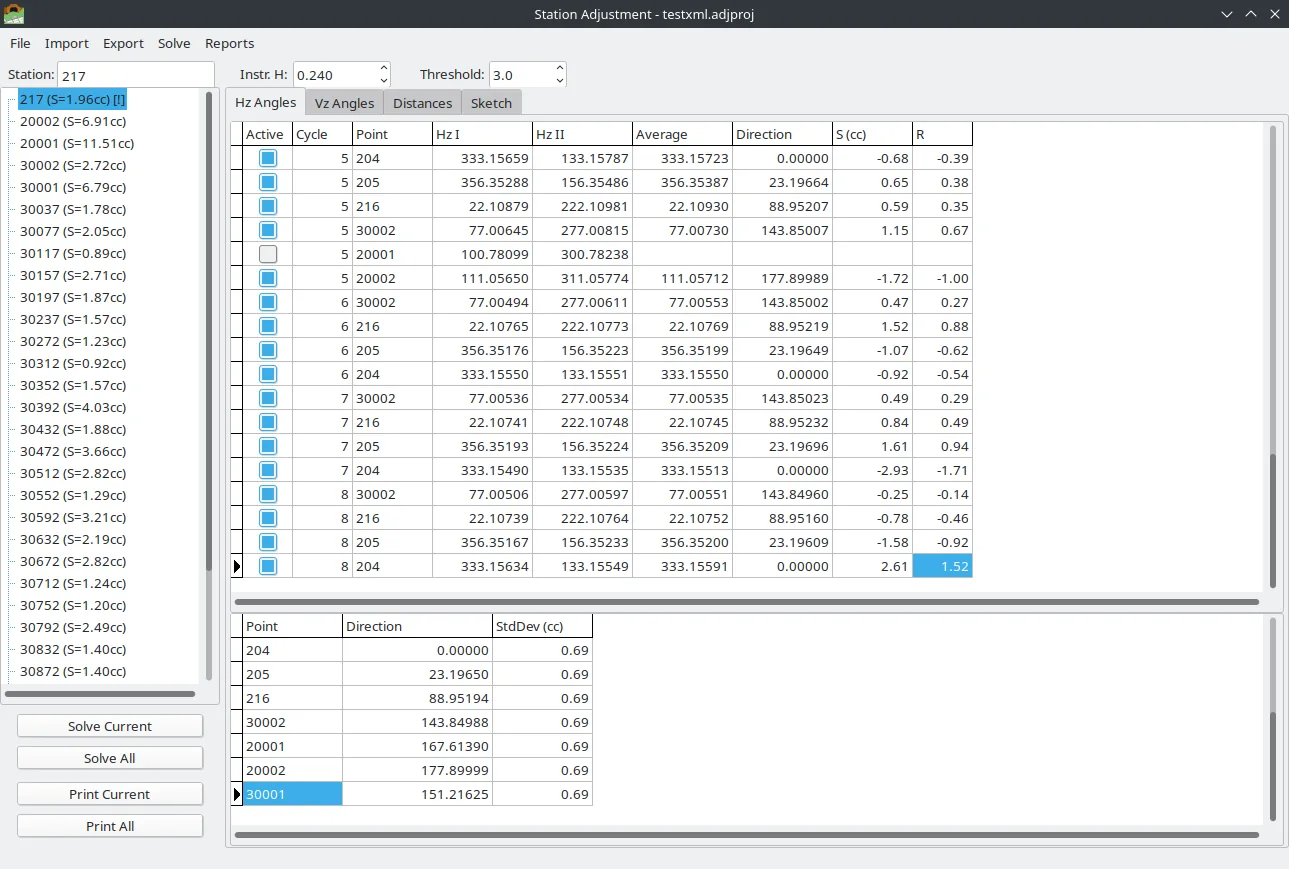
- Read Hz Angles, Vz Angles and Distances. Each tab shows the raw rounds above and the adjusted values below.
- Clear Active on a row to leave that observation out of the next solve.
The station tree shows an S value, in centesimal seconds, next to each solved station.