Knowledge base · Alignments
Set out a chainage and offset
Turn a station and an offset into coordinates, or measure a coordinate back onto the alignment.
Setout and measure are the two directions of the same dialog. Calculate > Setout… opens it on Setout. Calculate > Measure… opens it on Measure.
One point on the centreline
- Set Operation to Setout and Mode to Centerline.
- Type the chainage. That is the station after station equations.
- Type the offset. Positive is to the right of the direction of travel. For the centreline, use 0.
- Type Dh, the vertical offset added to the alignment elevation. The default is 0.
- Click Add to Results.
The result row carries the coordinates, the bearing, the grade, the superelevation and the turn at that station.
Mode changes the reference:
- Centerline — offset from the centreline
- Offset Axis — offset from the offset axis
- Rail — setout along the rail, with a Rail Details panel for CTC, UTC, cant, gauge and theta
Measure takes a world X, Y, Z and returns the nearest chainage, offset and elevation.
3D mode
A normal alignment measures chainage as horizontal length. Tools > Alignment Settings…, then Use 3D mode, measures chainage as the 3D length along the axis, and measures the offset in the section plane. That is what a vertical shaft or a steep incline needs. Setout and Measure then show section coordinates U / V and R / Theta in place of superelevation and turn.
3D mode needs a vertical profile. The flag and the section azimuth are stored in the .alm file and in LandXML. Without the flag, setout stays as described above. The chapter is 3D mode and vertical shafts.
The results list
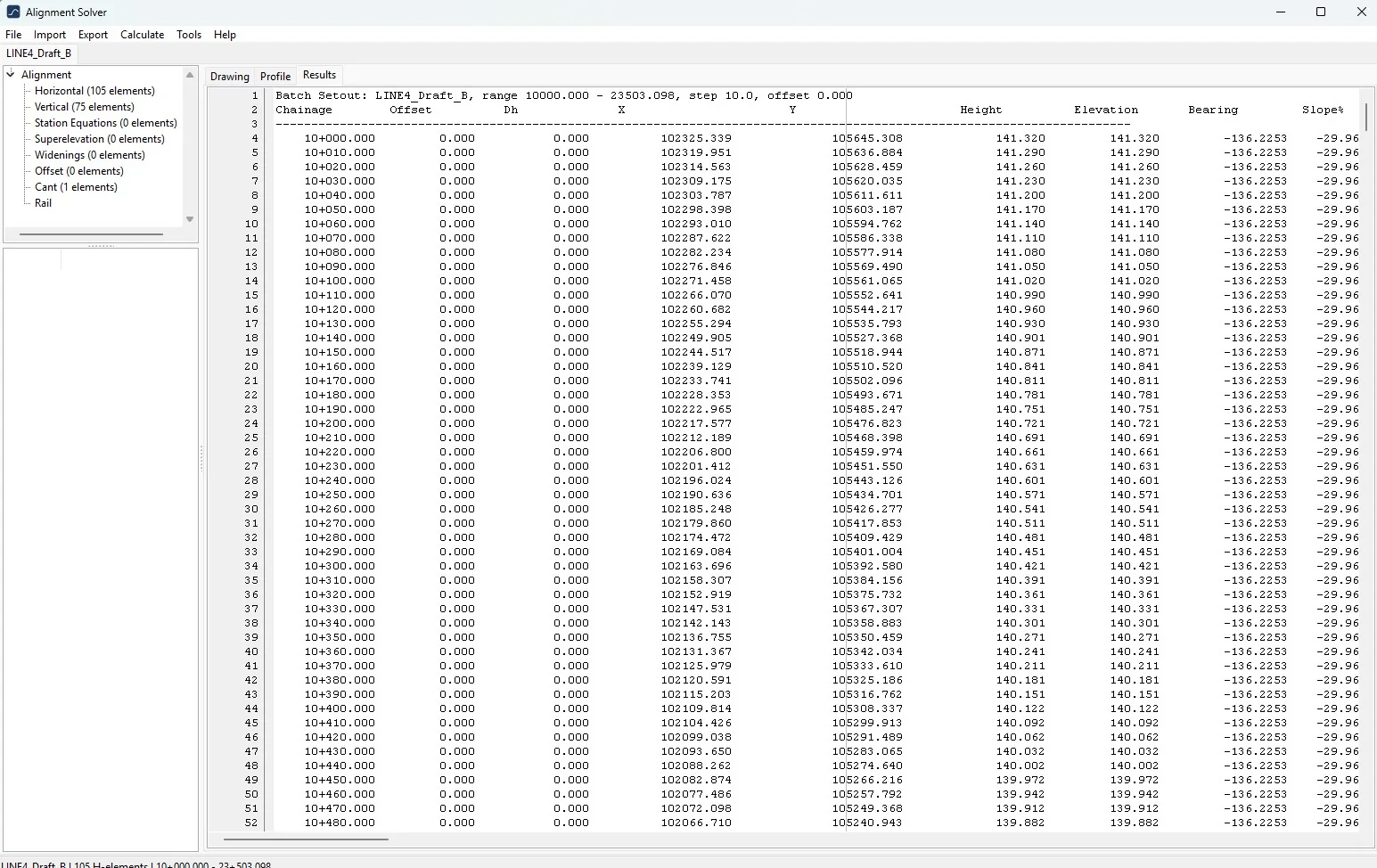
The Results page is a text list. Right-click it for Select All, Copy (tab-separated, so it pastes into a spreadsheet), Delete Selection and Delete All.
Switching Operation or Mode and adding another row starts a new header, so a centreline list and a rail list do not share one table.
A range is the same dialog filled as a batch: a start chainage, an end, and a step. The LINE4 example on the product page is a batch from 10+000, step 10 m, offset 0.